
Finding Low-Energy Conformers#
A flexible molecule can adopt many shapes (conformers) by rotating about its single bonds. Before a quantum chemistry calculation, or when comparing molecules, you usually want the lowest-energy conformer, or a set of low-energy conformers, rather than whichever geometry you happened to draw. Avogadro can search for conformers for you.
This tutorial uses butanol as an example, but the steps are the same for any molecule.
Note
The conformer search uses Open Babel, so the Extensions ⇒ Open Babel menu must be available.
1. Build and Optimize the Molecule#
Insert 1-butanol (
Build⇒Insert⇒SMILES…and typeCCCCO).Optimize it (
Extensions⇒Optimize Geometry, Ctrl+Alt+O).
The conformer search starts from the current geometry, so it’s worth starting from a reasonable structure.
2. Run the Search#
Choose
Extensions⇒Open Babel⇒Conformer Search….Pick a search method:
- Systematic rotor search
Tries every combination of torsion angles. Thorough, but the number of combinations grows very quickly with the number of rotatable bonds, so it’s best for small molecules.
- Random rotor search
Tries random combinations of torsions.
- Weighted rotor search
Like the random search, but learns from the energies of the conformers it has already tried. A good choice for medium to large molecules.
- Genetic algorithm search
Evolves a population of conformers. Set Scoring method to Energy to find the lowest-energy conformers, or RMSD to find a geometrically diverse set.
For the random, weighted and genetic searches, set the Number of conformers to try (e.g., 100–500).
Click OK.
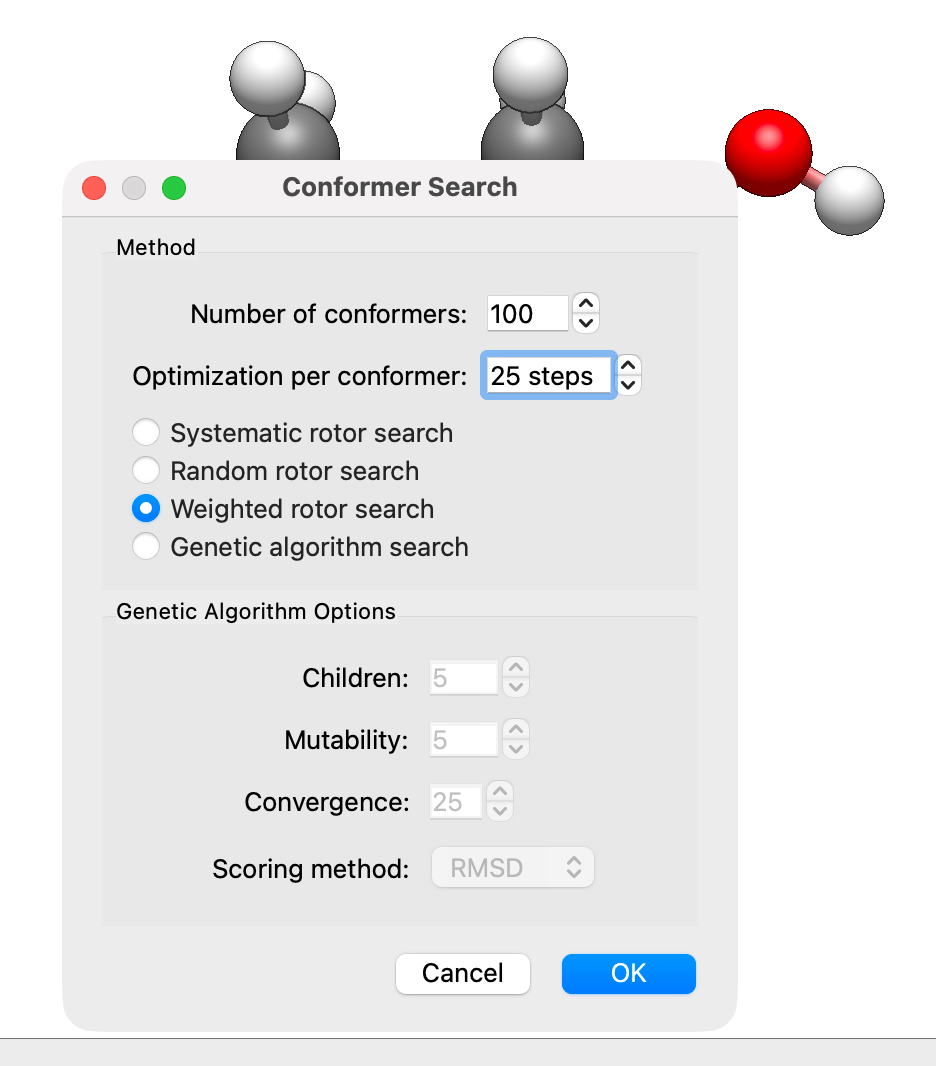
Each conformer is optimized with the force field chosen under Extensions ⇒ Open Babel ⇒ Configure Force Field…. When the search finishes, the conformers it found are added to the molecule.
3. Look at the Results#
Choose Analyze ⇒ Properties ⇒ Conformer Properties… to list the conformers. Click a column header to sort, for example by energy, and click a row to show that conformer in the main window.
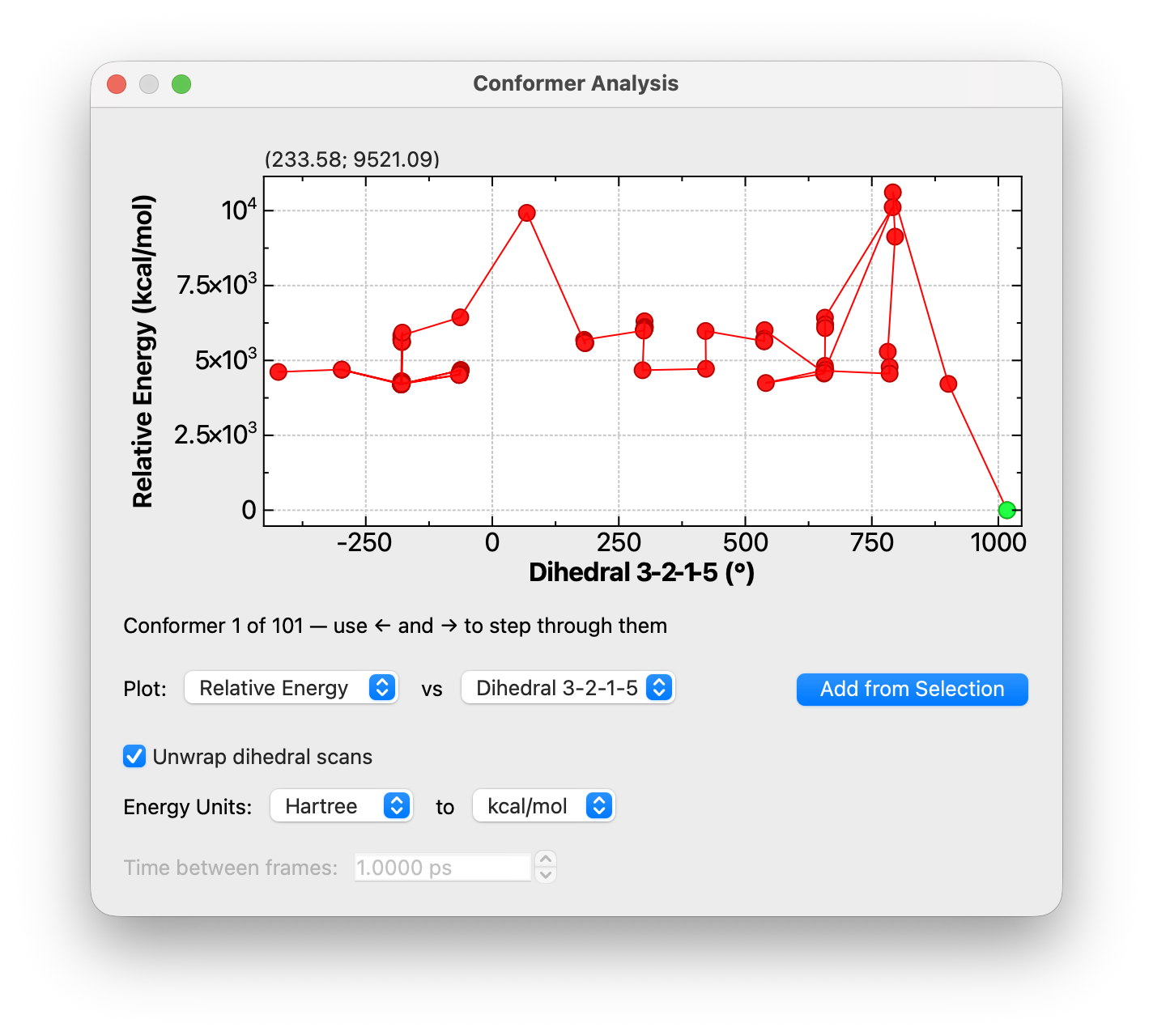
To see the results as a plot, choose Analyze ⇒ Plot Conformer Data…. Plot Relative Energy against Frame, or select the C–C–C–O atoms, click Add from Selection and plot the energy against that dihedral. Click a point (or use the arrow keys) to show that conformer. See Plotting Conformer and Trajectory Data.
4. Save the Conformers#
To keep all of the conformers, save in Avogadro’s CJSON format (
.cjson), which stores every conformer and its energy.To save one conformer (for example, as the starting point for a quantum chemistry calculation), select it in the conformer table or the plot so it’s shown in the main window, then save or generate your input file as usual. Most other formats save only the conformer currently shown.
Tip
A force-field conformer search is a quick way to find good candidates, but force field energies are approximate. For accurate relative energies, reoptimize the lowest few conformers with a quantum chemistry method.
See Also#
Finding Conformers of Molecules – More about the conformer search options
Plotting Conformer and Trajectory Data – Plotting conformer data
Introduction to Force Fields – Choosing a force field